
RadioHaven伴聲
Familiar voices, simply by your side.
A Hong Kong radio app designed for simple listening.
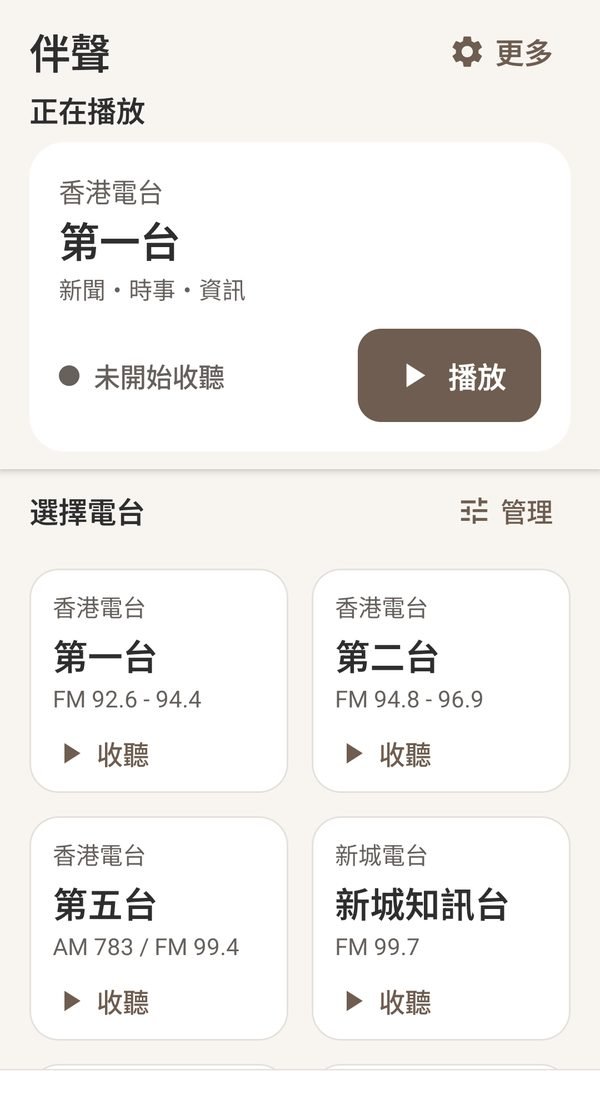
Bigger text, clearer buttons and fewer steps.
Open RadioHaven, choose a station, and start listening.
Why RadioHaven?
It started with a radio app that Mum could use.
The idea behind RadioHaven is simple.
Our founder's mother is getting older and is not used to technology. Many things that feel natural to us are not obvious to her. Small text, too many features and crowded buttons can turn something simple into something difficult.
So we wanted to make a radio app she could use with ease.
No features to figure out,
no searching through screen after screen,
no squinting at tiny text.
That is how RadioHaven began.
We started from the habits of older users: less unnecessary complexity, larger text and buttons, and the most-used stations right on the home screen.
Even for people who are not comfortable with smartphones, it should feel natural:
An app first made for Mum, we hope it helps many more people hear the voices they know.
Designed for seniors, made for everyone
Simple works for everyone.
RadioHaven starts from the needs of older users, but we believe easy-to-use products have no age limit.
Clearer text,
fewer unnecessary steps,
buttons that are easy to press,
and the stations you want, right when you open the app.
That is more comfortable for anyone.
RadioHaven keeps a complete set of radio features and offers both a simple large-text mode and a standard mode, so everyone can use it their own way.
What makes it different
What makes RadioHaven different?
Text can be bigger.
Important information uses larger text, with less small, hard-to-read content.
Buttons can be clearer.
Play, pause and station selection sit where they are easy to find and easy to press.
Fewer steps.
Fewer unnecessary screens and actions. Your usual stations can sit right on the home screen.
Complete, not complicated.
The features you need are still there. They just don't all crowd in front of you.
Home screen settings
Your home screen, only what you listen to
No more searching through a long list of stations every time.
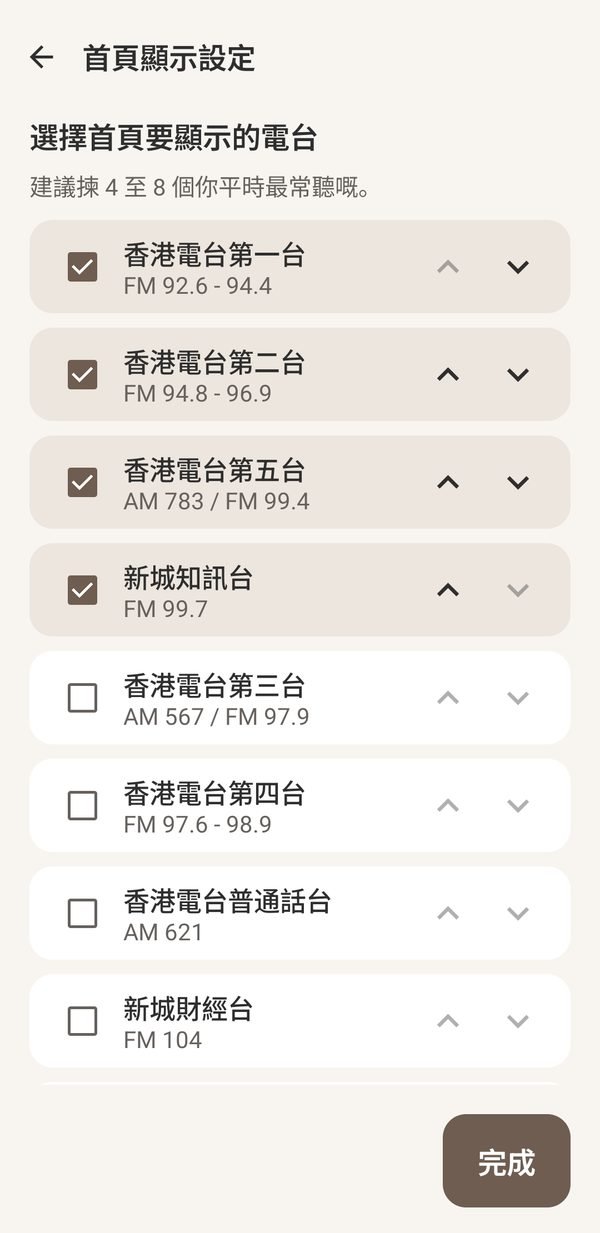
With Home Screen Settings, you choose which stations appear on the home screen and in what order.
If you are setting up RadioHaven for your parents, you can pick the few stations they listen to most.
Every time they open RadioHaven after that, their familiar stations are right there.
Set it once, listen simply after that.
Two modes
Two modes, one RadioHaven
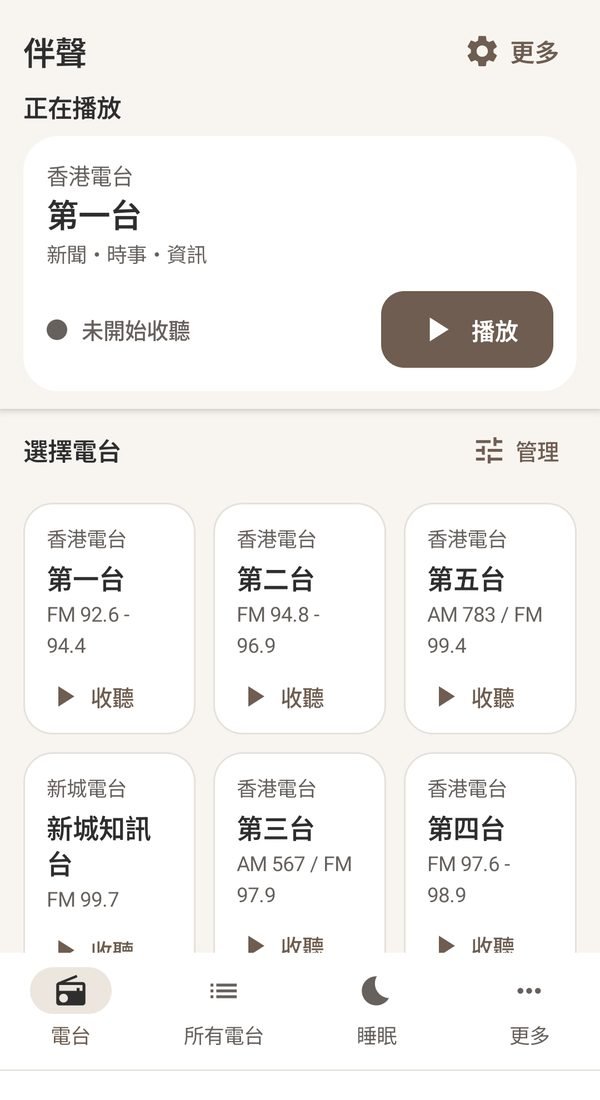
Simple large-text mode
RadioHaven opens in simple large-text mode.
Bigger text, more direct controls and the most-used features first, for anyone who wants a simple, clear screen.
Standard mode
Want to see more on one screen? Switch to standard mode at any time.
Nothing is taken away. It is simply shown in a different way.
The sound of Hong Kong
Hong Kong radio, in one app
RadioHaven starts in Hong Kong.
We bring together the Hong Kong radio stations you know, in a simpler and clearer way.
No need to install several apps or search again every time.
Open RadioHaven and choose what you want to hear.
Available stations are reviewed and updated based on actual stream availability.
Why "伴聲"?
Some sounds are part of every day.
The morning news, the lunchtime programme, the radio that is always on at home.
You may not listen closely all the time,
but when it is there, life feels a little more familiar.
So we called it:
伴聲RadioHaven
Familiar voices, simply by your side.
RadioHaven starts in Hong Kong, and we hope to add voices from other places over time.
Download RadioHaven
Bring familiar voices back to your phone.
RadioHaven is currently available for Android.
The Google Play version is in preparation and will be released later.
Please only download the installer from the official RadioHaven website.
- Type
- Android APK
- Status
- Release version in preparation
- Source
- Direct download from the official website